
Let the Butler get you organized.
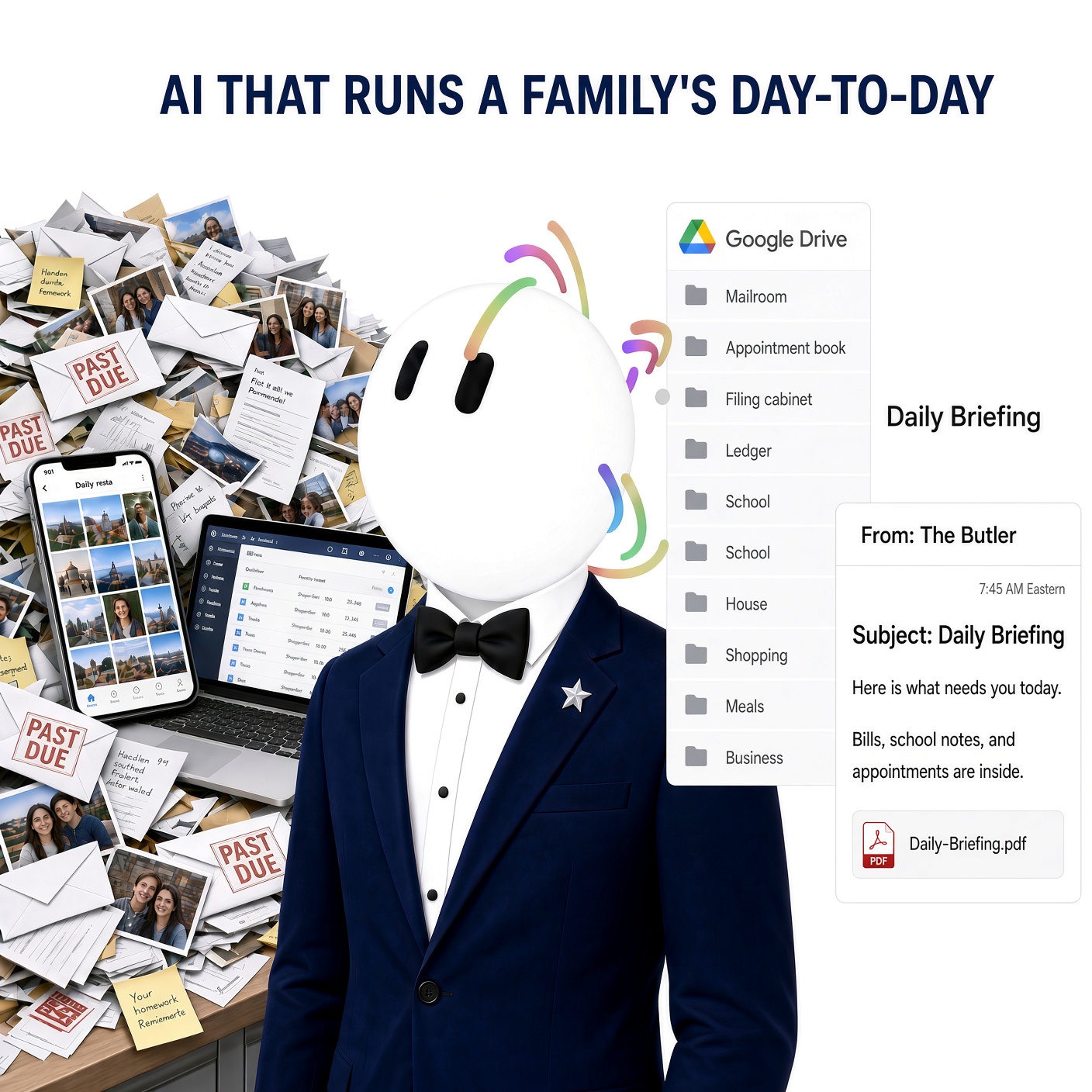
This is a step-by-step guide on how to set up the Butler Grok Bot on your desktop and control it from your phone. Once it is on, it manages the mail and email, the calendar, files and photos, passwords, bills and money, school, the house, shopping, meals, and the business. It catches up the pile that is already there, then handles what comes in next, stores it in the right Google Drive folders, and every morning you get one briefing by email with a PDF attached.
Free summary
First name and email. No charge.
One bot. Ten rooms.
The Butler makes it easy to put the house in order. You send a photo of the mail, an email, a school note, or the fridge. Give it a task, such as creating an appointment or sending an email, and it can do that for you. It files each one in the right room. A daily briefing, by email and as a PDF, tells you what needs you.
- Mailroom. Reads the mail and email, flags what needs you, and drafts a reply.
- Appointment book. Keeps the calendar and the dates that are coming due.
- Filing cabinet. Puts each photo and document in the right Drive folder.
- Key cabinet. Holds the logins. It does not change a password.
- Ledger. Watches the bank, Venmo, and cards, and names bills, due dates, and waste.
- School. Files mail and email by child, then school, and flags a deadline. A note to a school, a teacher, or a co-parent stays a draft.
- House. Reads a photo of a filter, a detector, or a service sticker and writes the next due date.
- Shopping. Keeps the list, groups it by store, and compares a price only when it has a source. It does not buy.
- Meals. Names only the food it can see, proposes seven dinners, and hands the missing items to Shopping.
- Business. Spots what belongs to the business and moves it to the COS bot, the business version of the butler.
Every morning at 7:45 AM Eastern it emails one PDF: what needs you, the bills, and anything it could not verify. A copy lands in Drive, in Briefings. All of it is customizable to fit your busy lifestyle.