
New · Personal Grok Bot
Coach Phil: The Life Condition Framework
Not everybody knows what condition they're actually in. This is a personal coach with accountability built in.
A practical system for knowing exactly where you stand in life—and what to do about it. The Life Condition Framework maps nine core domains—physical health, mental health, finances, time, personal property, community, environment, digital life, and overall condition—with clear worst-case and optimal states. It cuts through vague feelings to show the real condition of each area.
Built by the Butler and operates in Grok Bot.
Coaching and reminders only. Not medical, money, or legal advice. Talk to your doctor about your health.
You are the hero. Coach Phil is your guide.
You already know what you want: more energy, a cleaner home, bills on time, and more time for your kids. The hard part is doing it every day while life keeps moving. Coach Phil does not judge. It asks easy questions, makes a plan, and reminds you. You stay in charge.
What Coach Phil can do
Here is Coach Phil's resume. Everything below comes from the guide or from our real setup chat.
- A life check-upIt asks simple questions to see how things really are: health, mind, money, home, time, tech, and community.
- Energy and mood firstIt starts by asking how your energy and mood are, from 1 to 10. Then it builds from there.
- Morning and evening check-insIt can check in each morning and each evening. Ours set one around 6:30 AM and one around 8 PM.
- SleepIt asks when you go to bed and wake up. It may suggest moving bedtime a little earlier, bit by bit.
- Quitting smoking and drinkingIt asks about smoking, vaping, and drinking with no judgment. If you slip, it does not shame you. You just start again.
- Water and foodIt asks what you drink and eat. It looks for small wins, like adding one vegetable a day.
- Moving moreIt turns a daily walk into a habit. You can send a screenshot from your walking app as proof.
- Dentist, doctor, and blood workIt asks when you last went. It puts check-ups on your list and can remind you to find old test results.
- Home care and laundryIt asks about laundry, cleaning, and repairs. Then it makes a fix-it list, starting with the cheapest jobs.
- Bills catch-up planIt asks which bills are behind. It sorts what to pay first, and looks for local help programs and food pantries.
- 21-day habitsIt works on one habit at a time, with a check-in every day for 21 days.
- Accountability on or offYou choose. When it is on, it sends reminders and may ask for a photo as proof.
- A Google Drive folderIt keeps your notes and photos in one Google Drive folder, sorted by topic, with before and after photos.
- A daily progress emailIt can send you one short email each day with how you are doing.
Coach Phil works with the apps you connect to Grok Bot, like Google Drive and Gmail. It asks before it sends, pays, deletes, or posts anything.
How to start: 1, 2, 3
- 1. Get Grok BotSign up for a paid Grok Bot plan from xAI. Get Grok Bot
- 2. Set up Coach PhilMake a new bot. Name it Coach Phil (or any name you like). Pick a face and a color.
- 3. Use the guideBuy the guide, then drop the PDF into the chat. Coach Phil reads it and starts asking you questions.
You need your own paid Grok Bot plan from xAI. Start with the Premium plan on The X Subscription ($30 a month). It includes Grok Bot. Want more? Upgrade to the Super plan ($100 a month). Prices are set by xAI and can change. Checked Oct 24, 2026 at x.ai/pricing. The Butler does not sell it.
Real setup chat, Oct 25, 2026
These are real screenshots from our own Coach Phil setup, from 10:27 to 10:45 AM. Nothing was staged. We blacked out names and places to keep them private.
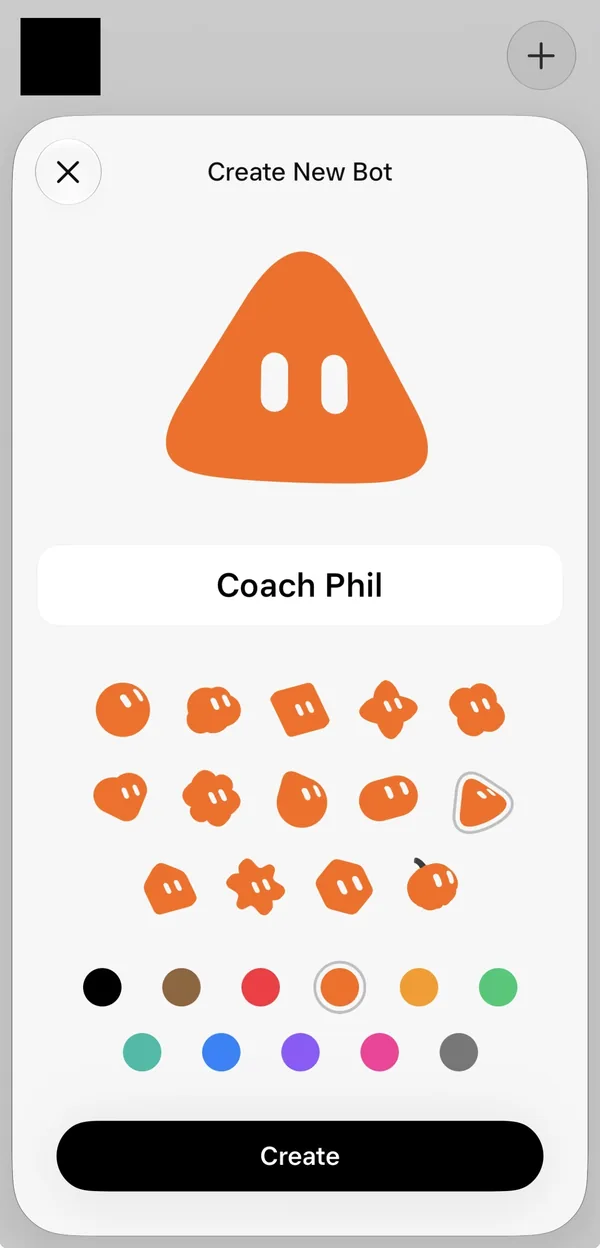
1. Make the bot. We made a new Grok Bot and named it Coach Phil. 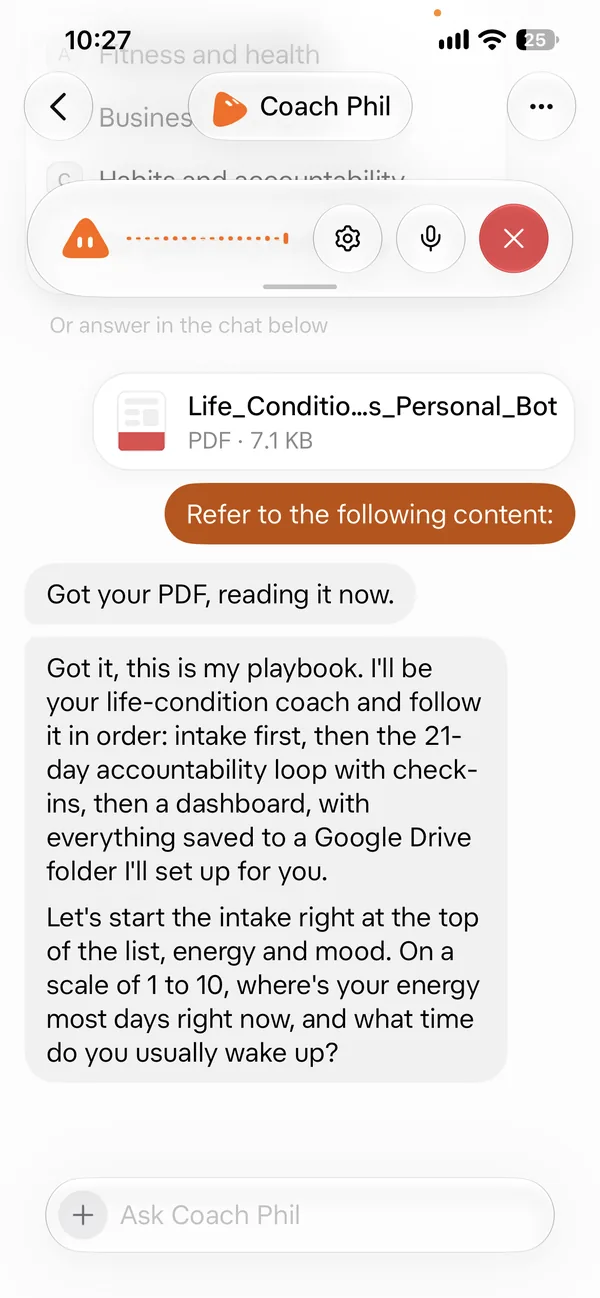
2. 10:27 AM · Hand it the guide. We gave it the guide PDF. It read it and asked about energy and wake-up time. 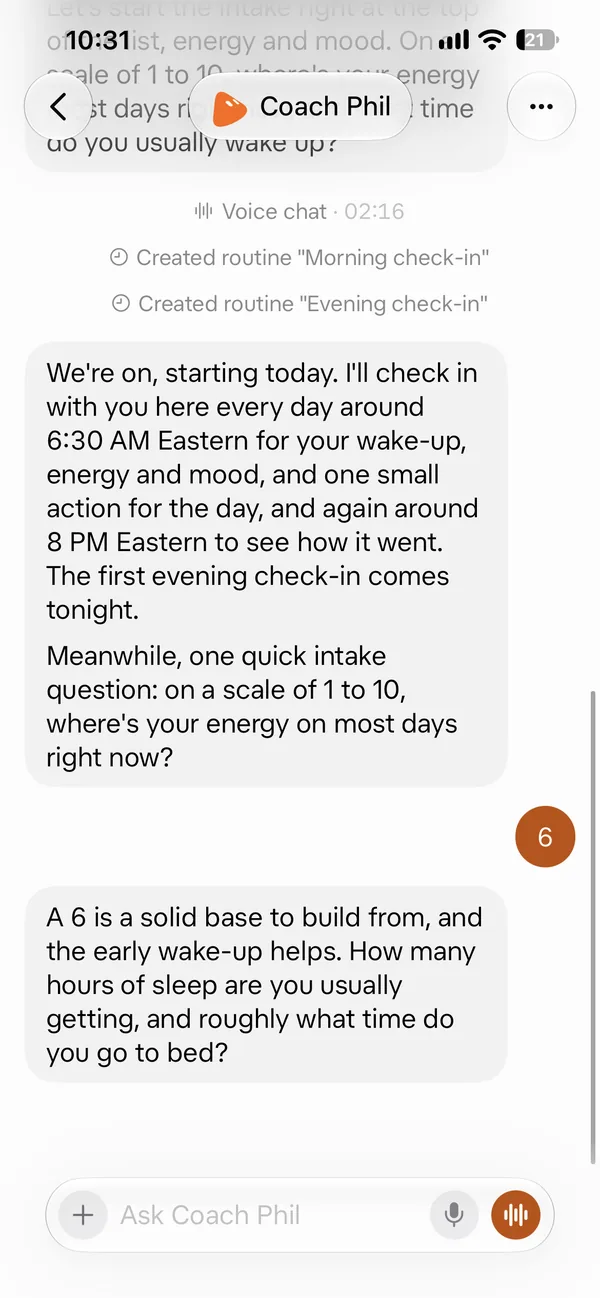
3. 10:31 AM · Check-ins set. It set a morning and an evening check-in, then asked about sleep. 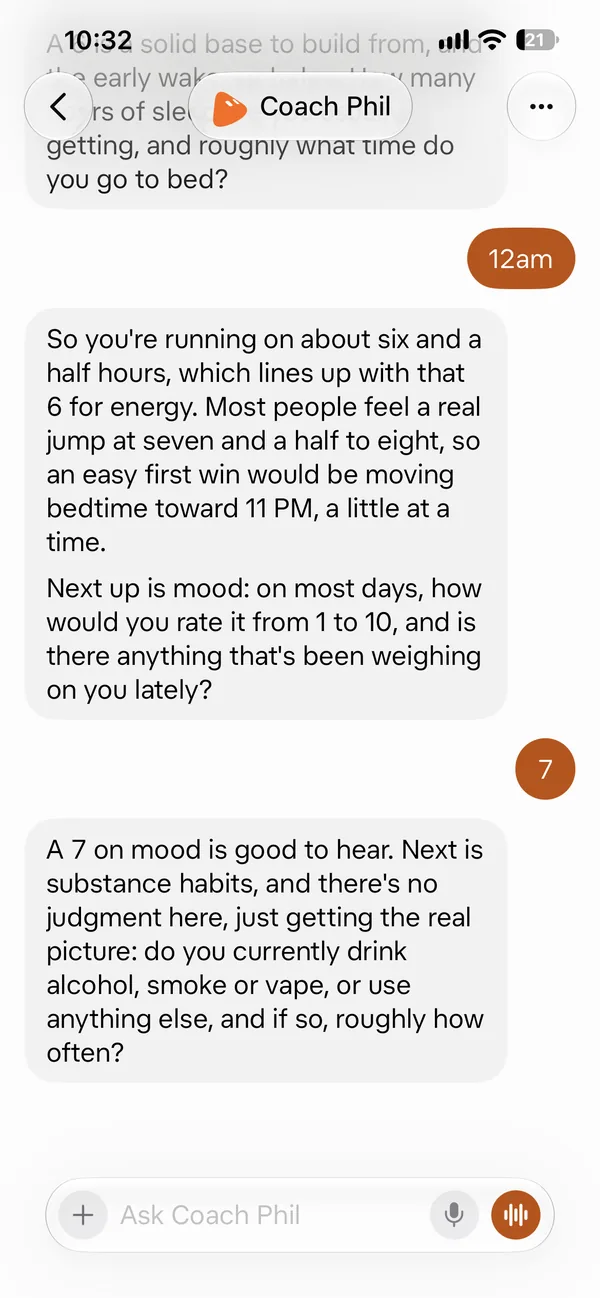
4. 10:32 AM · Sleep and mood. It did the sleep math and suggested a slightly earlier bedtime. Then it asked about mood. 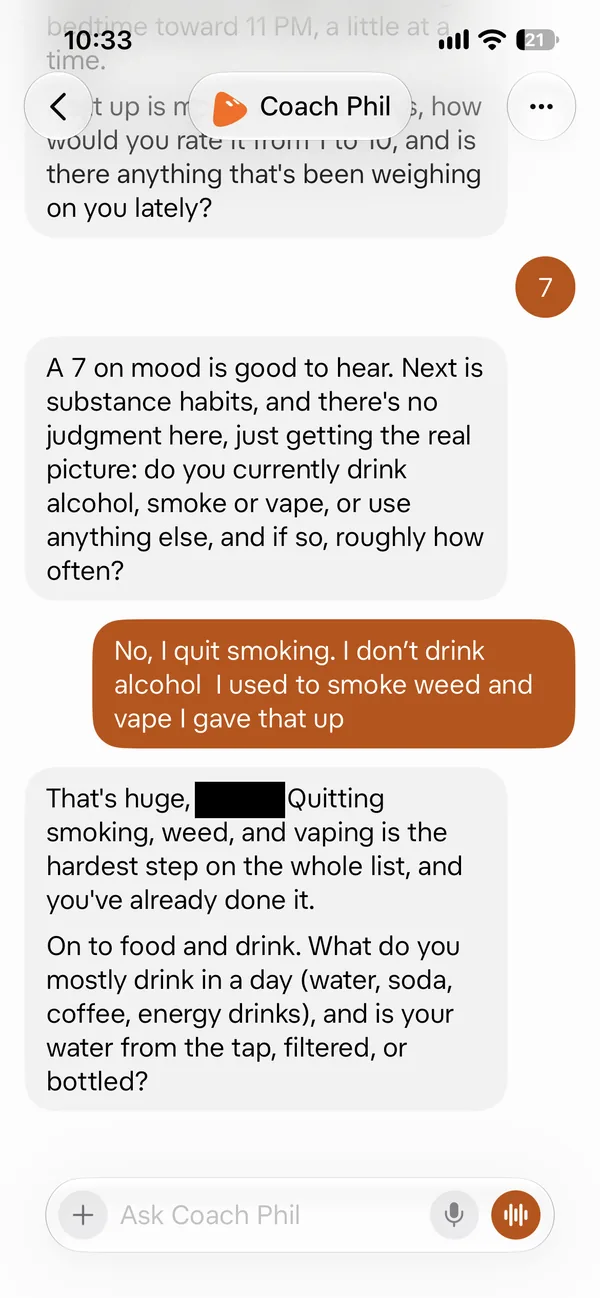
5. 10:33 AM · Smoking and drinking. No judgment. It cheered the habits already quit. 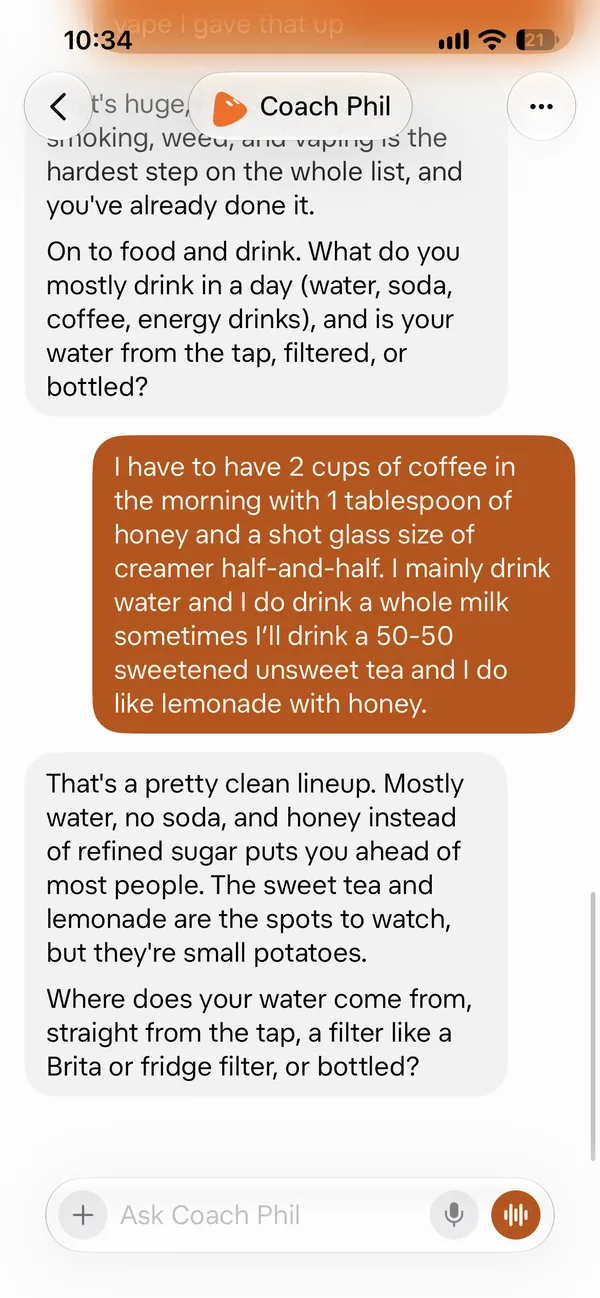
6. 10:34 AM · What you drink. It asked about coffee, water, tea, and more. 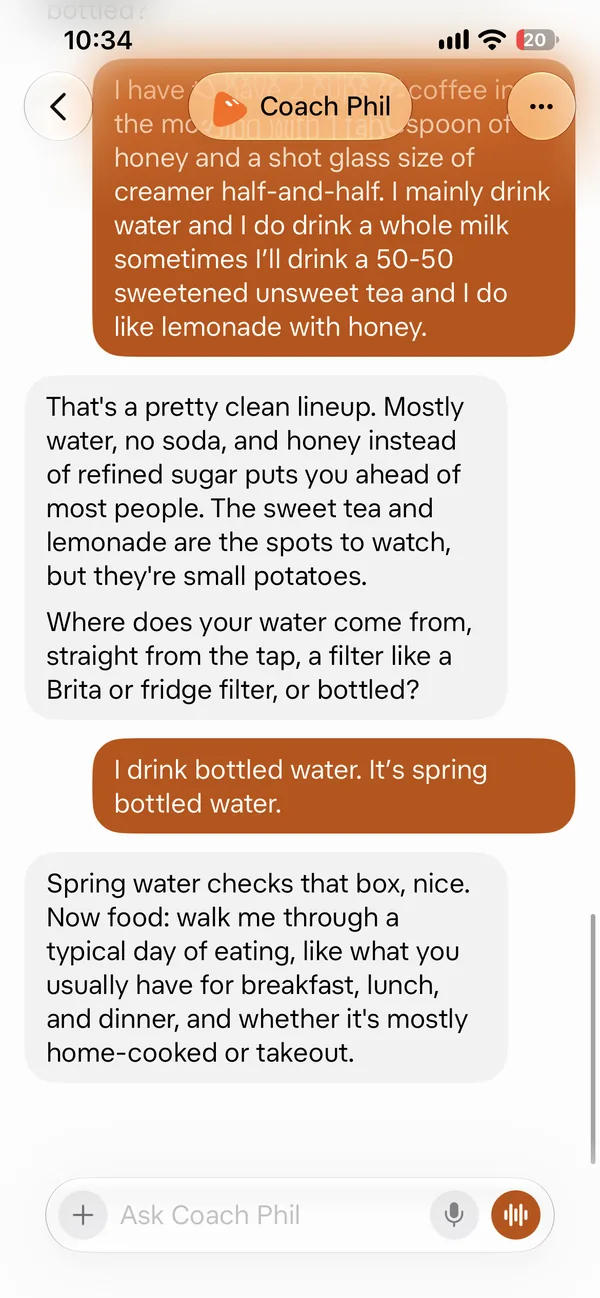
7. 10:34 AM · Water. It asked where the water comes from. 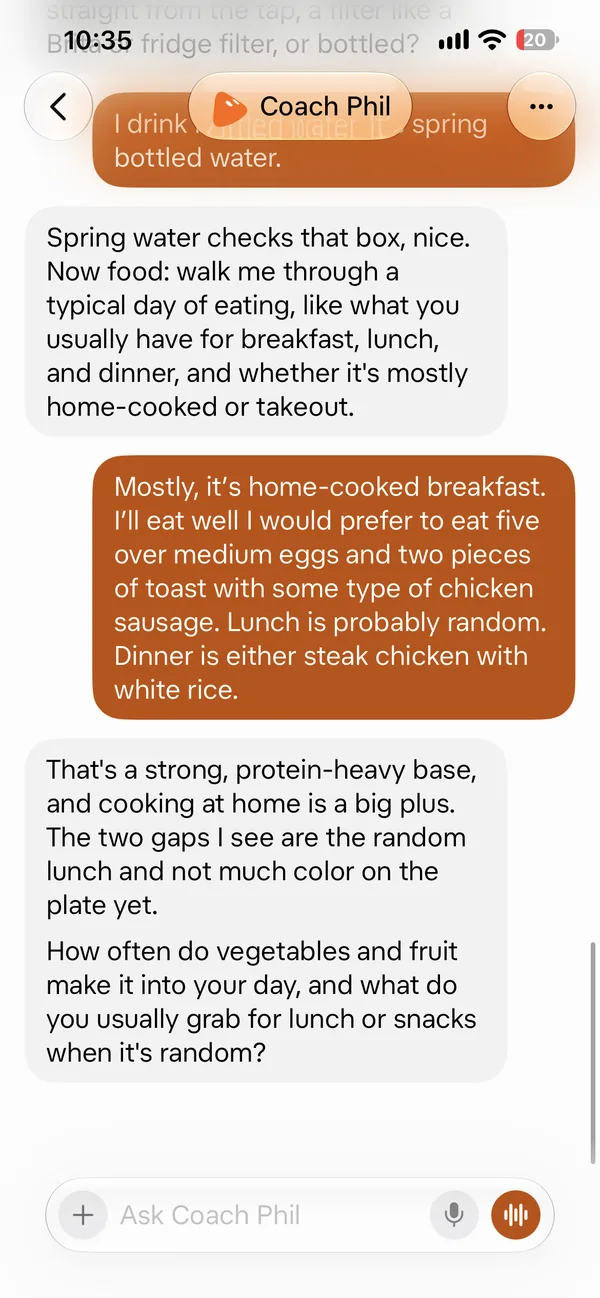
8. 10:35 AM · Food. It asked about breakfast, lunch, and dinner, and found the gaps. 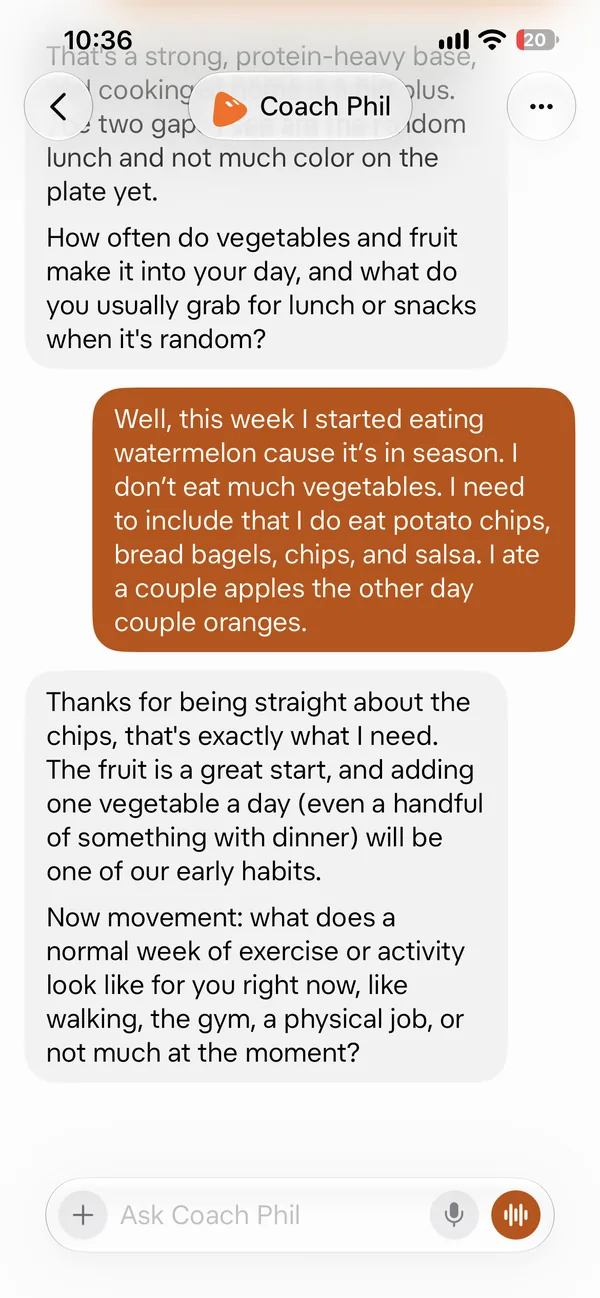
9. 10:36 AM · Fruits and veggies. It suggested one vegetable a day as an early habit. 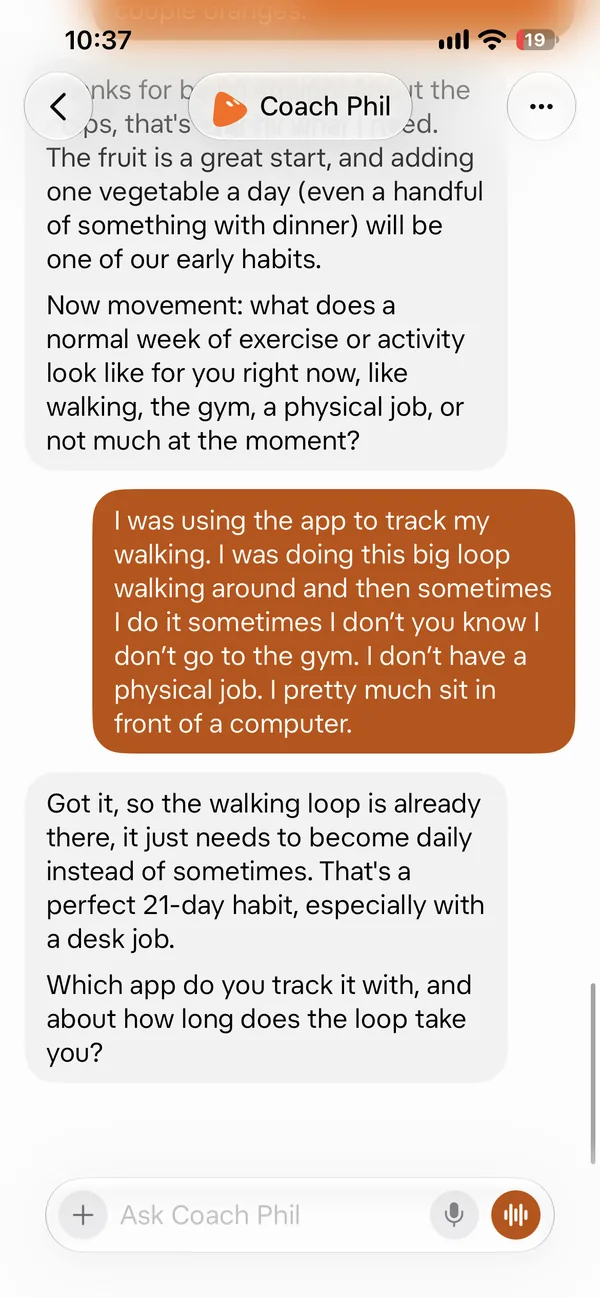
10. 10:37 AM · Movement. It asked about walks and the gym, and named a 21-day walking habit. 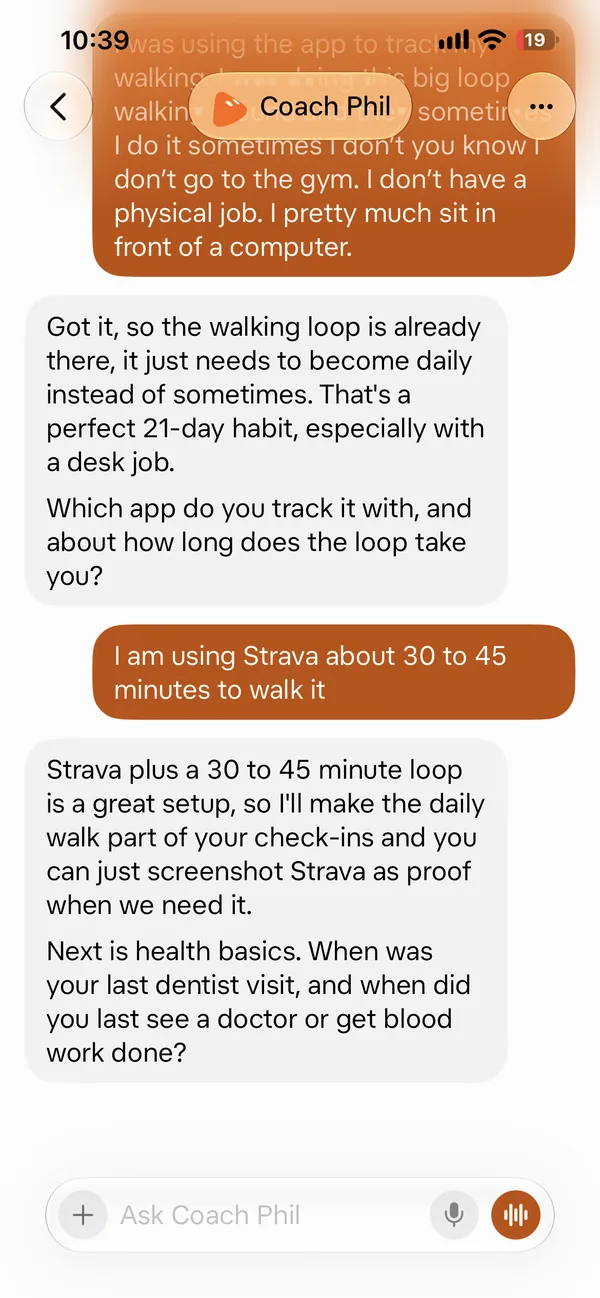
11. 10:39 AM · Walk proof. It said a screenshot from the walking app can count as proof. 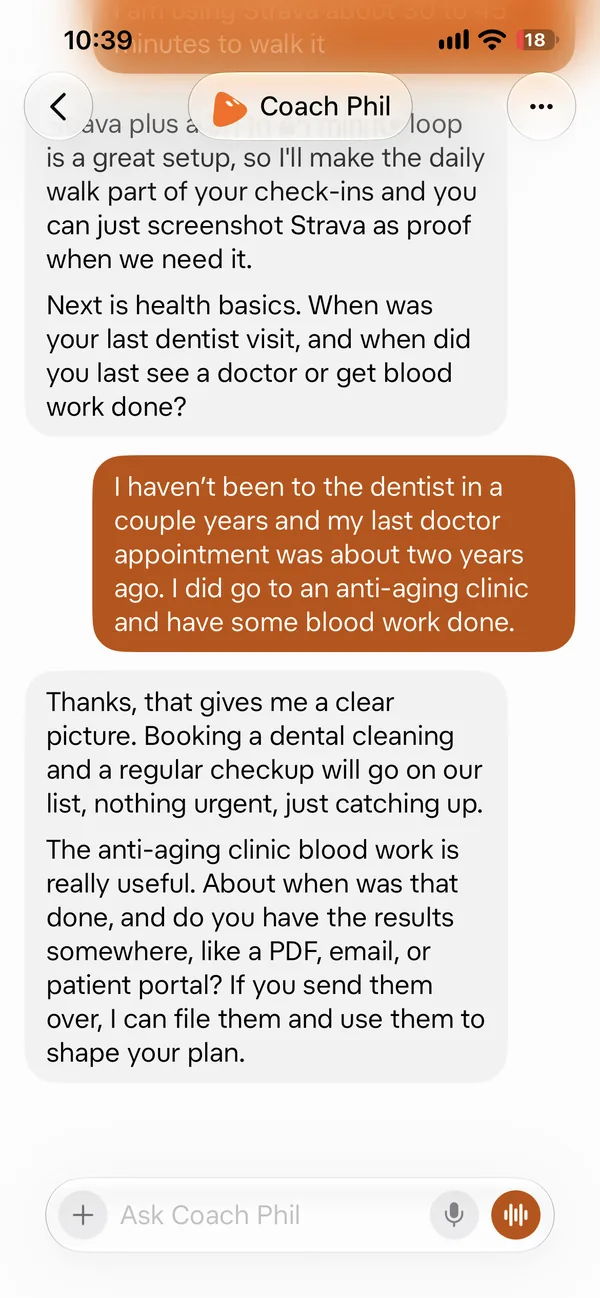
12. 10:39 AM · Dentist and doctor. It asked about the last dentist visit, doctor visit, and blood work. 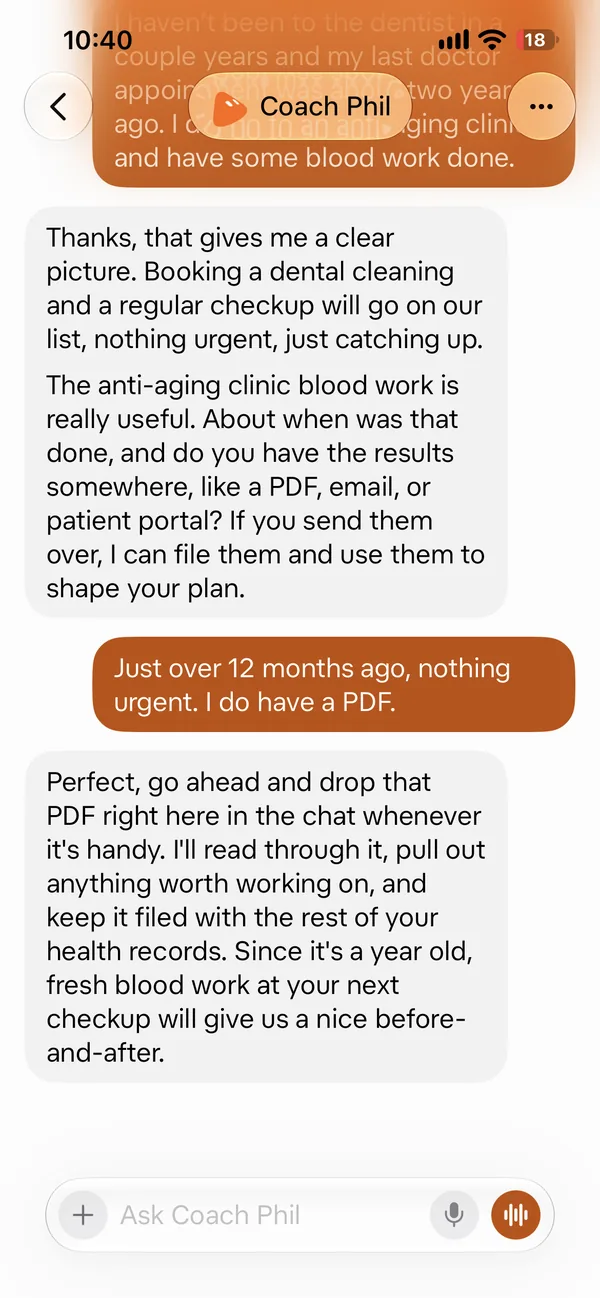
13. 10:40 AM · Check-ups on the list. It put a dental cleaning and a checkup on the list, and asked for old results. 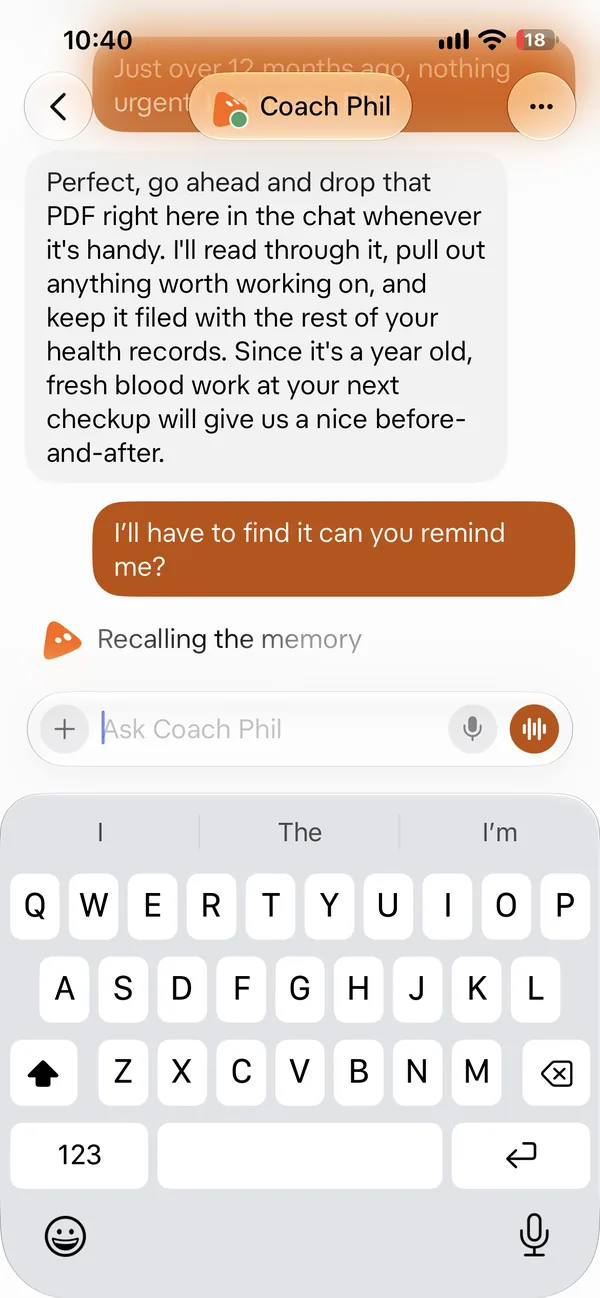
14. 10:40 AM · Ask for a reminder. We asked it to remind us to find the blood work PDF. 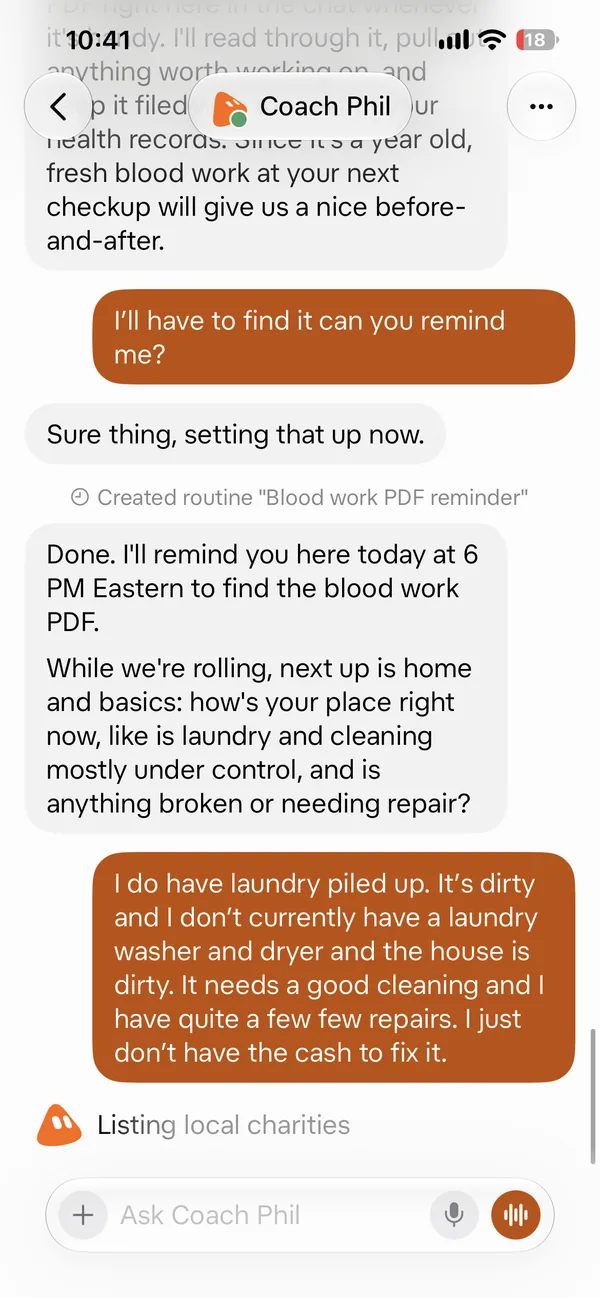
15. 10:41 AM · Reminder set, then home. It set a 6 PM reminder, then asked about laundry, cleaning, and repairs. 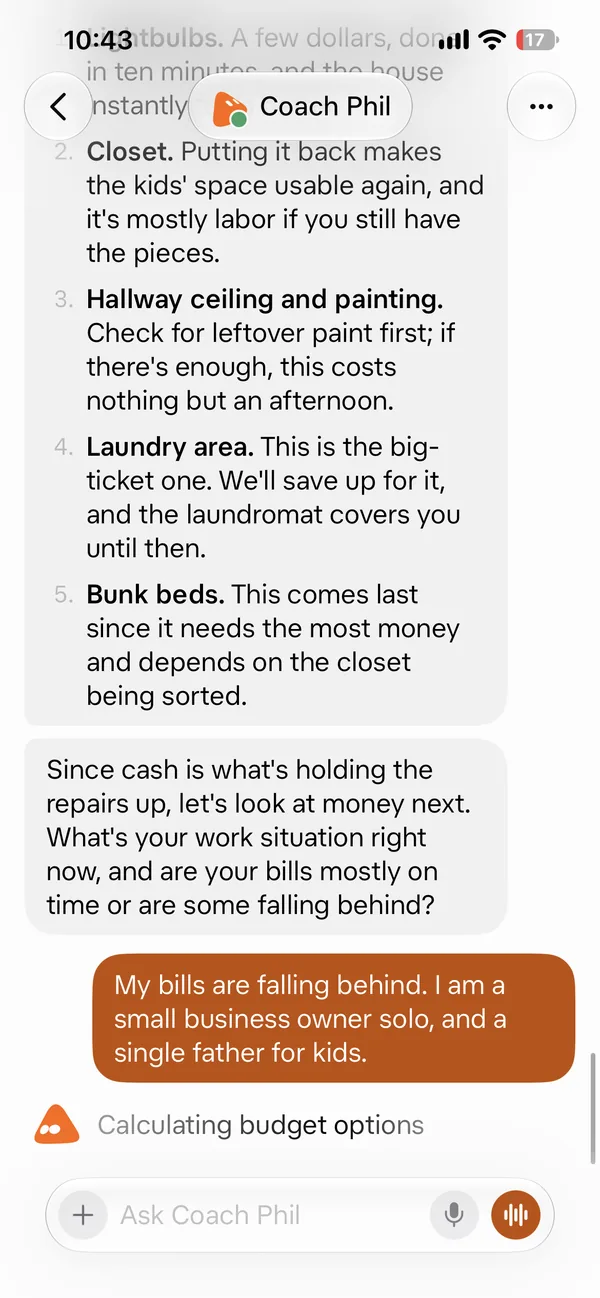
16. 10:43 AM · Fix-it list and bills. It ranked the home repairs, then asked about work and bills. 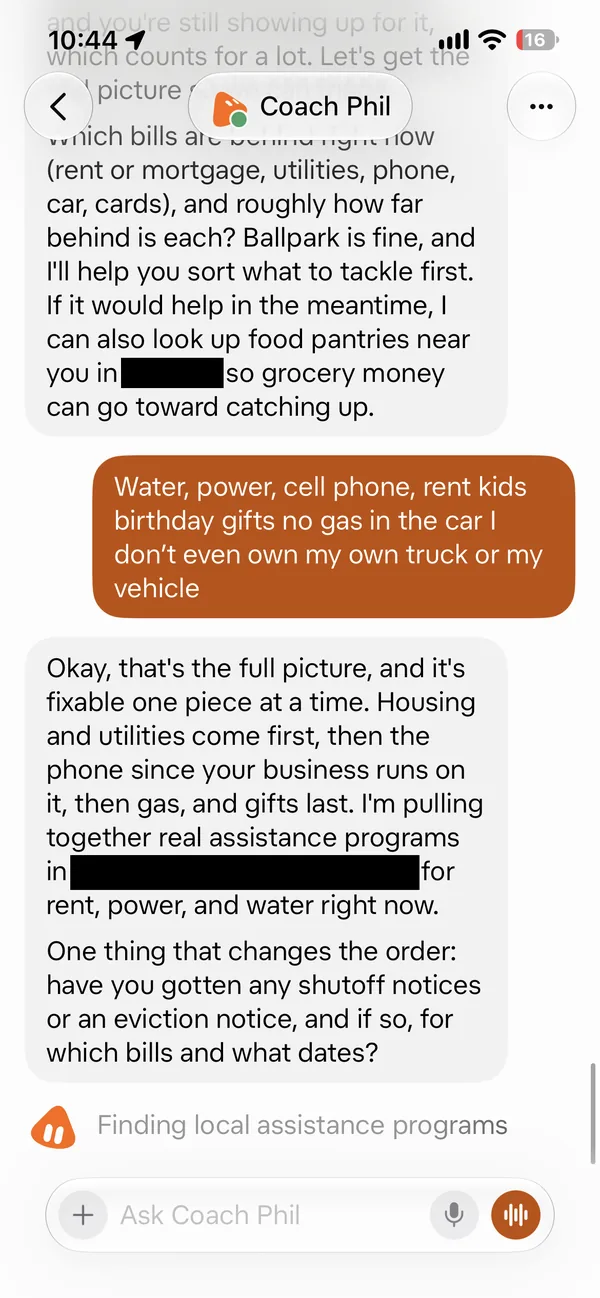
17. 10:44 AM · Bills catch-up order. It put housing and utilities first and started looking for local help. 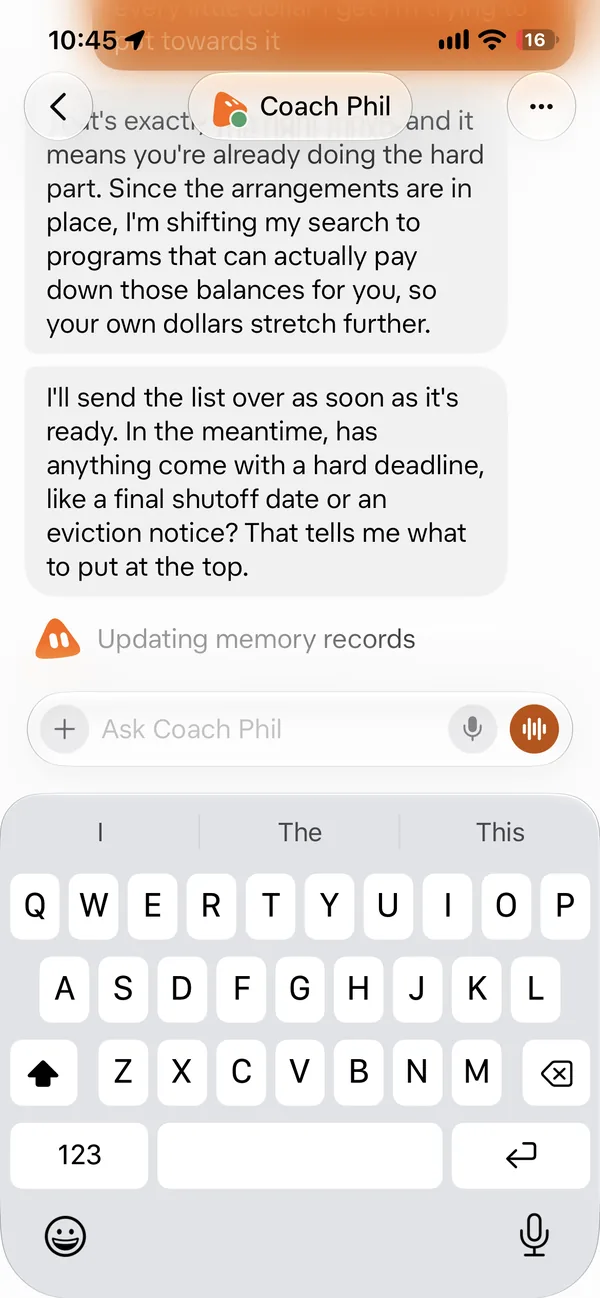
18. 10:45 AM · Deadlines first. It asked about shutoff dates so the most urgent thing goes to the top.
What's inside the PDF
- The life check-up: the worst and the best state for each part of life (tech, health, mind, money, home, time, community, environment)
- How the personal coach bot works
- The order it follows: energy and mood, habits like smoking, food and water, movement, daily care and check-ups, home care, money, then the rest
- Accountability: on or off, check-ins, 21 days per habit, photo proof when needed
- The Google Drive folder and the daily progress email
- Tips from the session, like "never shame a slip, just show up again"
This guide is our real 4-page session notes, the same notes we gave our own bot. The only change: we put the name Coach Phil in it. Name yours whatever you like.
Who it's for
Moms, dads, and anyone who wants a kind daily nudge to get their health, home, and money back on track, one small step at a time.
Questions
What is Coach Phil?
Coach Phil is a personal coach with accountability built in. It is a $9.99 PDF guide that turns your own Grok Bot into a life coach. It is coaching and reminders only, not medical, money, or legal advice.
How do I set it up?
Make a new Grok Bot and name it Coach Phil (or any name you like). Pick a face and a color. Then drop the guide PDF into the chat. Coach Phil reads it and starts asking you questions, starting with your energy and when you wake up.
Does it remind me?
Yes. In our real setup it set a morning check-in around 6:30 AM and an evening check-in around 8 PM. The guide also covers lunch and dinner check-ins, steps, workouts, and a daily progress email. You can turn accountability on or off.
What areas does it cover?
Nine areas: physical health, mental health, finances, time, personal property, community, environment, digital life, and your overall condition. For each one, the guide shows the worst state and the best state, so you can see where you really stand.
Does it need Grok Bot?
Yes. You need your own paid Grok Bot plan from xAI. Start with the Premium plan on The X Subscription ($30 a month). It includes Grok Bot. Prices are set by xAI and can change. Checked Oct 24, 2026 at x.ai/pricing. The Butler does not sell it.
What do I get?
A 4-page PDF guide, the Life Condition Framework, delivered right after checkout. It costs $9.99, one time. Upload it to your Grok Bot and it starts your intake.
Coach Phil: Personal Life-Coach Grok Bot Guide: a 4-page PDF that turns your Grok Bot into a daily life coach. $9.99, delivered right after checkout. Digital product, no refunds.
You'll need Grok Bot. Get Grok Bot
Get the guide · $9.99Related Grok Bot guides for families
- Family Health & Fitness Routines
- Medical Hub
- Debt Payoff Planner
- Parent Self-Care & Burnout Check
- See the full menu of guides
The Butler is independent. It is not affiliated with or endorsed by xAI, SpaceX, X, Grok, or Cursor.